

Zao Bao Logo
Frequently Asked Questions

How can I check my subscription period and eligibility for plan renewal?

1. Log In: Visit subscribe.sph.com.sg and click the Login button at the top-right corner to access your SPH Media account.

2. Access Subscriptions: Go to My Account > Subscriptions.

3. View Status: Your active plan’s subscription or contract period will be displayed here.

4. Check Renewal Eligibility:
- Eligible: You will see the message: "Your plan is ready for renewal."

- Not Yet Eligible: The system will display the earliest date you can renew.

Need Help?
Contact SPH Customer Service at 6388 3838 (Mon–Fri, 8:30 AM – 6:00 PM, excluding Public Holidays) or email zbocs@sph.com.sg.

How do I cancel my subscription?

You may cancel* your subscription to the package by providing us with at least 30 days’ prior notice, either via email (zbocs@sph.com.sg) or telephone (6319 1800). All of your entitlements under the Package will cease upon the expiry of your payment term.


*All amounts (including any unutilised amount of the Promotional Subscription Fee) paid prior to the date of termination will be strictly non-refundable.

How to change or reset my password?

If you would like to reset your SPH Media account password, you can do so by following these steps:

1. Click on the “Login” button on the top right hand corner of this website.

2. Click “Forgot your password?”

3. Enter your email address or other SPH Media account

4. Click “Send email”.

You will receive an email at the address we have on record, containing instructions on how to reset your password. If you would like to update the email address we use to contact you, please email us at circs@sph.com.sg or call 6388 3838.

If you would like to change your SPH Media account password, you can do so by following these steps:

1. Please log in to your SPH Media account by clicking on the “Login” button on the top right hand corner of this website

2. Click into My Account (middle of page) > Profile > Password > Update password

How can I change my payment method or credit card?

1. Log In: Visit subscribe.sph.com.sg and click the Login button at the top-right corner to access your SPH Media account.

2. Navigate: Go to My Account > Payment Methods > Update

3. Edit Payment: Select the payment method you wish to update and click on "Change payment method".

4. Save Changes: Enter your new credit card or payment details and click "Submit" to save.

How can I update my communication preferences?

1. Visit subscribe.sph.com.sg/your-profile/ and log in to your account.

2. Enter the verification code sent to you to access your "Profile" page.

3. Scroll down to "Communication Preferences" and click "Manage".

4. On the "Communication Preferences" page, toggle your desired options for "Email" and/or "SMS".

5. Click "Change Preferences" at the bottom right to update your settings.

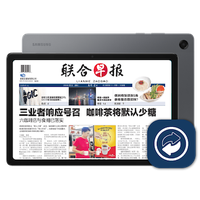
How do I download the Lianhe Zaobao App?

1. Visit http://onelink.to/zbsg

2. Click on either App Store or Google Play

3. Tap to download and install

4. Log in to the Zaobao App using your subscription email or by registering as a new user.

You're about to be logged out in mins

For security reasons, your session times out after you've been inactive for a while. Click Extend the Session to stay logged in.